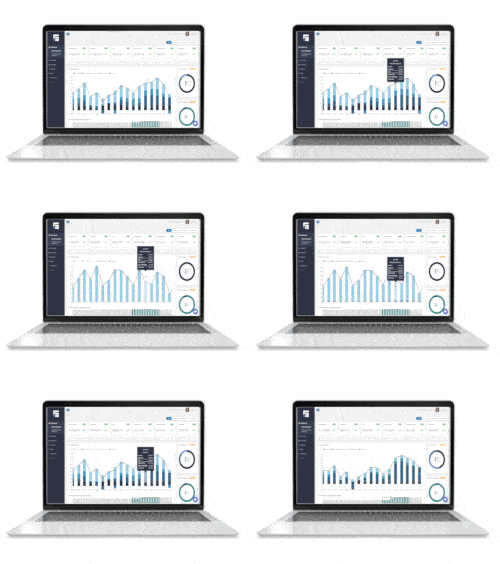
If you own or manage a commercial real estate portfolio, chances are QuickBooks is already the backbone of your accounting. It’s familiar, accessible, and flexible enough to manage multiple entities across a portfolio. But while QuickBooks is excellent at accounting, commercial property management requires so much more. That’s where a powerful QuickBooks data integration makes all the difference.
When QuickBooks connects seamlessly to a real estate management platform, you’re no longer forced to choose between affordable accounting software and the operational features of high-end CRE systems. You get the best of both worlds!
Let’s break down why this integration matters so much, how it actually works in real commercial settings, and what a purpose-built solution like STRATAFOLIO delivers that QuickBooks simply can’t do on its own.
Executive Summary
- QuickBooks alone does not set you up for success because QuickBooks is not a commercial real estate-focused platform, so it isn’t built for crucial data and processes like lease management and CAM reconciliation.
- A two-way QuickBooks data integration bridges that gap by connecting real estate specific software to your existing accounting information, allowing you to see both accounting and operations data in the same place.
- STRATAFOLIO not only centralizes your property management tools, it automatically updates all your data in both STRATAFOLIO and QuickBooks so they always match and you are always up to date.
Why is QuickBooks Alone Not Enough?
QuickBooks handles financial data beautifully. But CRE brings in layers of operational detail you can’t squeeze into a general accounting tool, no matter how creatively you use classes, customer records, or spreadsheets.
Think about everything that happens outside QuickBooks: the rent increases, percentage rent calculations, renewing multi-year leases, tracking deposits, assigning recoverable vs. non-recoverable expenses, and figuring out who owes what when CAM season rolls around. None of this is native to QuickBooks. And when these tasks live in spreadsheets or someone’s memory, the portfolio starts to slow down.
The truth is, commercial real estate accounting is accounting powered by leases, and those leases determine almost every number you enter into your books. A standard accounting system simply doesn’t have the structure to handle that kind of operational choreography. That’s why most CRE operators eventually find themselves juggling four or five disconnected tools just to keep daily tasks moving.
A strong QuickBooks integration for real estate changes that entire dynamic.
What a Purpose-Built QuickBooks Integration Actually Does for CRE Teams
Imagine if every operational action and every number from your properties flowed straight into QuickBooks without you having to babysit it. That’s the promise of a real property management QuickBooks integration, and when done well, it becomes the difference between a reactive accounting system and a portfolio that runs like a modern business.
A real estate–focused integration sits between your tenants, your leases, your buildings, and your accounting, automating all the parts of property management that QuickBooks isn’t built for.
Here’s what that looks like in practice:
When you abstract a lease, the system converts it into automated rent schedules, recurring charges, annual escalations, and reminders for renewals or expirations. Instead of manually calculating next year’s rent increase or updating spreadsheets, the system quietly generates the exact charge and pushes it into QuickBooks.
When tenants pay, the integration pulls those payments back into the tenant ledger so your operational and financial data stay aligned. Your team stops wondering whether a tenant is late, whether a payment was applied correctly, or whether QuickBooks reflects the actual rent roll.
Throughout the year, the integration relies on the account mappings you create to understand which expenses are recoverable. As long as entries are made correctly in QuickBooks, STRATAFOLIO can match those costs to the right properties or tenant groups and help you stay ahead of CAM reconciliation time.
This kind of automation saves time and restores control.
Why QuickBooks Matters More When It’s Integrated, Not Replaced
Many operators think they need to “upgrade” away from QuickBooks to get real estate automation. But in reality, they only need to extend QuickBooks, not ditch it. QuickBooks is actually excellent for CRE accounting as long as it’s paired with software designed to handle what QuickBooks isn’t meant to do.
A strong QuickBooks data integration with commercial real estate software lets you keep all the things QuickBooks does best, while adding the missing features like:
- Lease-driven accounting that runs itself. You enter the lease once, and the system handles the rent increases, the billing, and the reminders.
- CAM tracking that doesn’t feel like solving a puzzle. No more chasing receipts or trying to remember why one tenant is capped and another isn’t.
- Clean visibility across all your LLCs. Whether you have three or thirty, you can finally see how everything is performing without clicking through a maze of files.
- Portfolio-wide reporting that makes executive decisions easier. One dashboard. One source of truth. No more stitching reports together.
- Automated AR workflows. Once the monthly invoicing run is started, charges flow into QuickBooks, invoices go out on schedule, and payments sync back smoothly.
- Real-time, property-level insights. You always know what’s happening: vacancies, delinquencies, upcoming renewals, trends, risks, without having to dig.
Instead of migrating to a massive ERP system like Yardi or MRI (which comes with six-figure implementation fees), a QuickBooks integration lets your team work smarter with the tools you already know. Plus, there is no costly data conversion on top of that.
How STRATAFOLIO Turns QuickBooks Into a Full CRE Management System
STRATAFOLIO was built specifically to fill the gaps between commercial property operations and QuickBooks. Think of it as the operational engine QuickBooks never had but always needed to work efficiently in CRE.
The magic is in how the two systems communicate. STRATAFOLIO doesn’t just sync basic data; it synchronizes the entire structure of your portfolio.
For example:
When you enter a lease in STRATAFOLIO, the details become living data; rent amounts, escalation dates, expense allocations, default CAM settings, renewal options, and more. Those details feed automated billing, payment tracking, and financial workflows that update QuickBooks with precision.
When you manage multiple LLCs, each with its own QuickBooks file, STRATAFOLIO becomes the platform that finally gives you consolidated visibility. You can see portfolio cash flow, debt, assets, liabilities, tenant performance, and maintenance activity without jumping between files or screens.
And perhaps most beloved by CRE teams: STRATAFOLIO’s CAM reconciliation engine. It reads your QuickBooks data, aligns expenses with tenant obligations, tracks recoveries in real time, and generates ready-to-send reconciliation reports. What used to take weeks of combing through receipts and spreadsheets now happens with clarity and confidence.
The Real-World Impact: Why CRE Teams Adopt QuickBooks + STRATAFOLIO
Teams that use STRATAFOLIO in conjunction with QuickBooks undergo a unique transformation. Hours spent on manual accounting decrease drastically. It no longer seems like a fire drill to do annual reconciliation. Escalations and rent schedules occur automatically. Once-thousand-dollar mistakes vanish. Additionally, owners receive the recognition they have long lacked.
You stop running your portfolio with disconnected tools, and you start running it like a unified business.
Frequently Asked Questions
-
Does STRATAFOLIO also automatically sync with QuickBooks Desktop?
While the automatic, two-way integration system is designed mainly for QuickBooks Online, STRATAFOLIO can also sync with QuickBooks Desktop using a manual sync powered by Web Connector so you can ensure your data is updated no matter your accounting setup.
-
Why is a CRE management platform integrated with QuickBooks a better option than a single software that does both?
For very large commercial real estate businesses, a single, enterprise-level software with accounting features might be a good choice. However, for small to mid-size teams who are already used to QuickBooks, drawbacks like high prices and steep learning curves can outweigh the benefits. STRATAFOLIO’s two-way data sync is designed to provide those same benefits in a familiar, accessible way by keeping your information accurate, updated, and easy to find on both the accounting and property management sides of the business.
Learn More About What a QuickBooks Data Integration Can Do for You
QuickBooks is one of the strongest and most versatile accounting tools available to CRE teams, but it becomes exponentially more valuable when it’s paired with software designed for commercial real estate. A powerful QuickBooks integration doesn’t replace QuickBooks. It elevates it, transforming it into a fully integrated financial and operational ecosystem for your portfolio.
Are you curious to see how STRATAFOLIO makes this possible? Schedule your personalized demo today.