

STRATAFOLIO uses a single, centralized location for all contacts, so you never have to search in multiple places to find tenant or contact information. This makes it easy for everyone, from Administrators to Maintenance team members, to quickly reach the right person when needed.
STRATAFOLIO does not support bulk uploading of contacts. All contacts must be added individually to ensure accurate data, proper role assignment, and correct connections to leases, tenants, and work orders. This approach helps keep your contact data clean, consistent, and reliable across the platform.
Adding a Single Contact
You can add a contact in STRATAFOLIO from the Organizations section.
This keeps all contacts stored in one central location and linked appropriately across your portfolio.
To add a single contact, follow these steps:
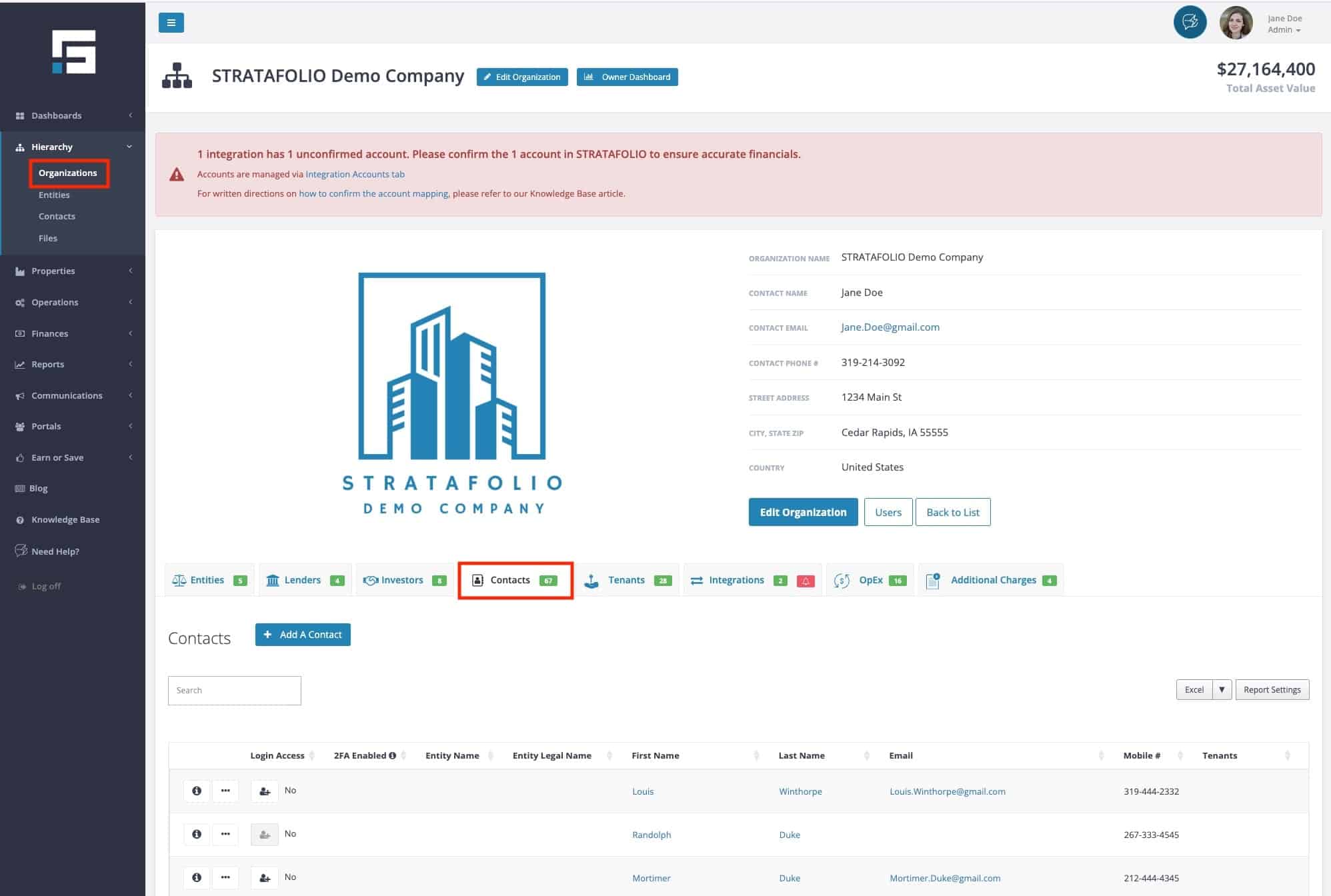
- In the left-hand navigation menu, navigate to Organizations.
- Select the i icon beside the organization where you want to add the contact to open the detailed view.
- Select the Contacts tab.
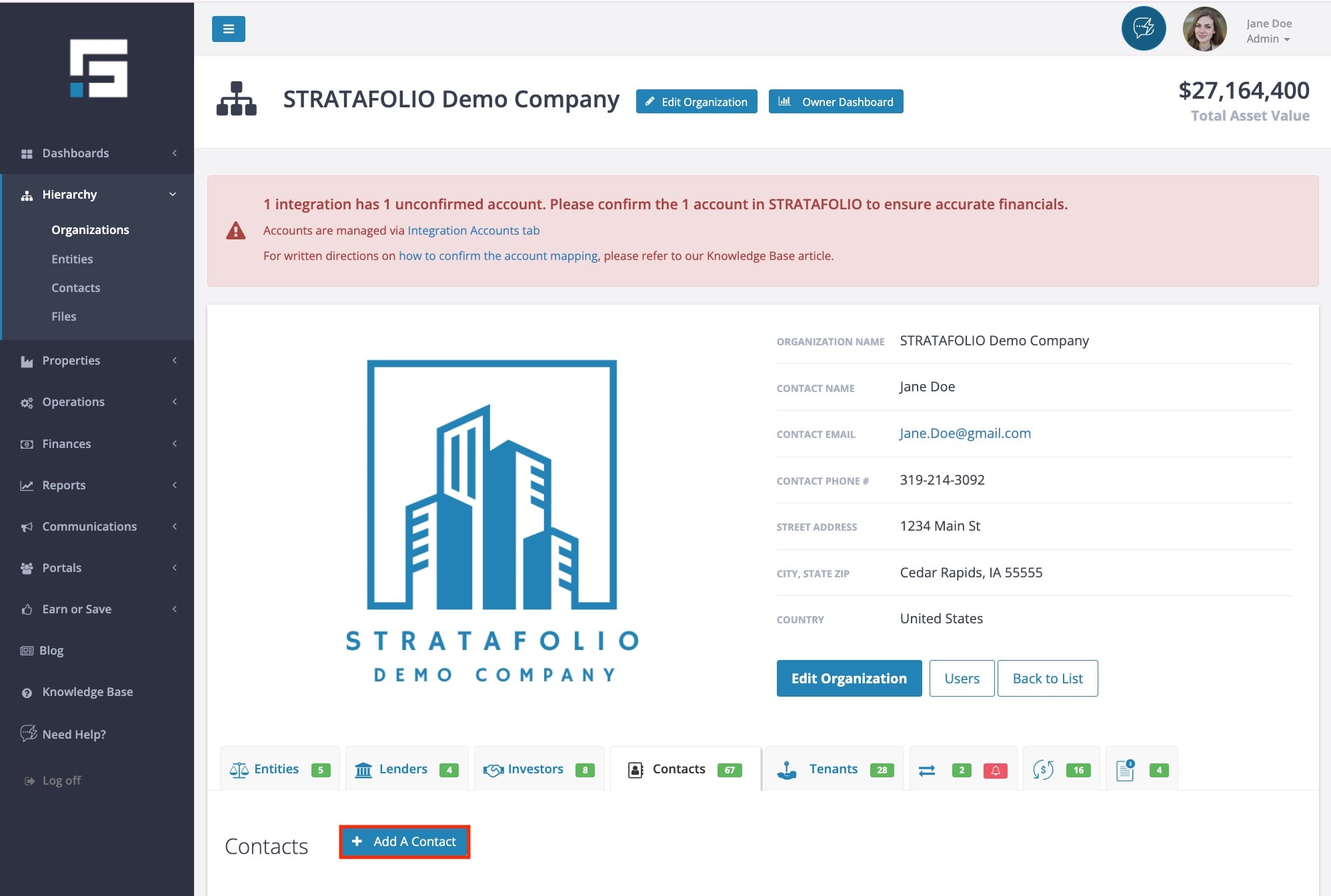
- Choose the Add a Contact button to open the contact form.
- Fill out the required fields (marked with a red asterisk *) — the First Name and Last Name are mandatory.
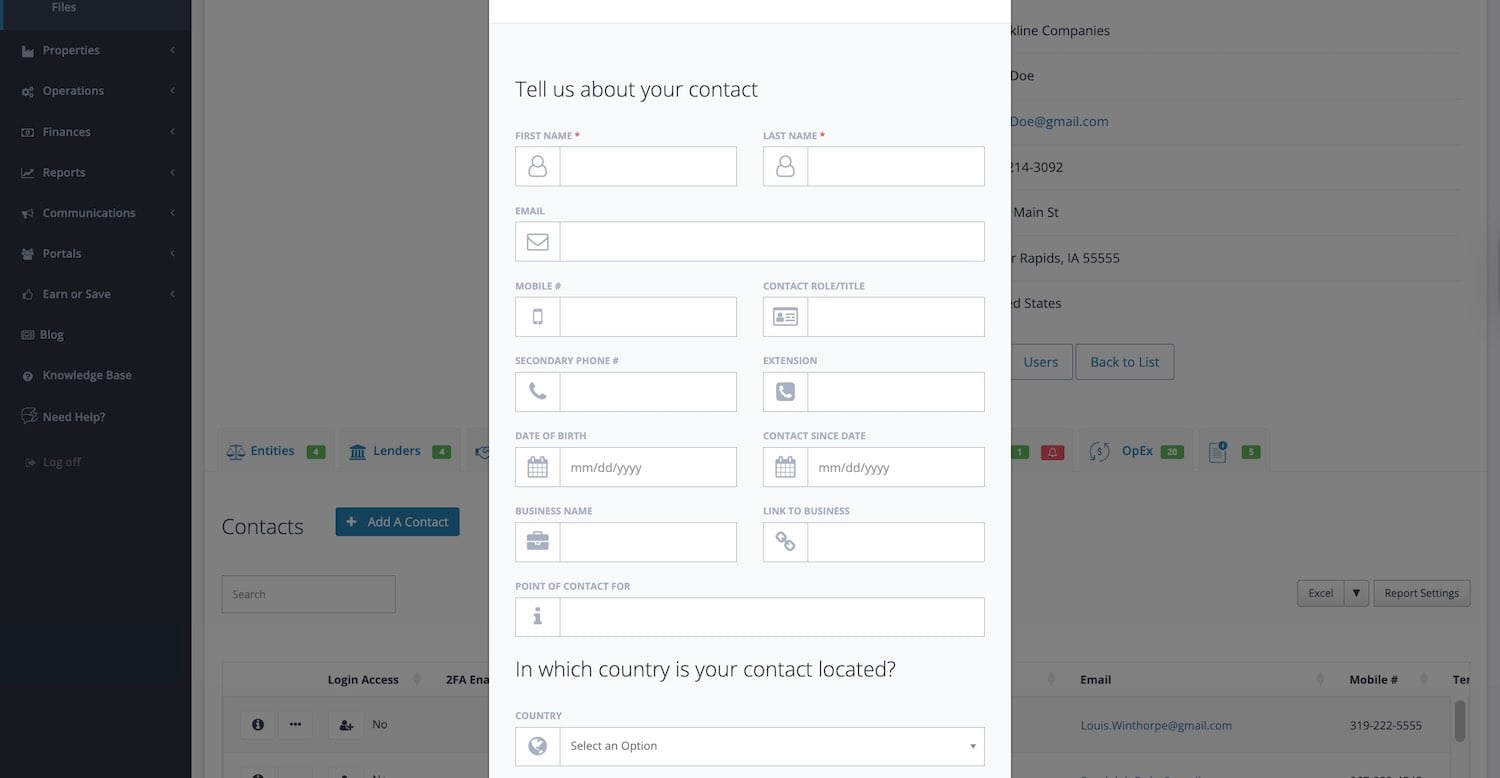
You may include additional details such as:
- Email and phone numbers
- Contact role/title
- Contact country
- Business name and address
- Contact rights and notes
Once you’ve entered all the information, select Add Contact to save the record.
NOTE: It may take a few seconds for your new contact to appear in STRATAFOLIO. If you do not see the contact in a dropdown or list right away, wait a moment and refresh the page before continuing.
TIP: After saving, you can link the new contact to a Tenant, Investor, or other records throughout STRATAFOLIO.
Adding Multiple Contacts in STRATAFOLIO
While bulk upload is not available, you can still add multiple contacts efficiently by entering them one at a time. This allows you to carefully assign roles, permissions, and contact rights for each person.
Best practices for adding multiple contacts include:
- Adding contacts as you onboard new tenants, vendors, or team members
- Completing one contact at a time to ensure all required fields are accurate
- Assigning contact rights correctly so each person can request or be assigned work orders when appropriate
- Linking contacts directly to the correct tenant, lease, or unit as you create them
Taking a few extra moments to add contacts individually ensures everyone has the correct access and that communication flows smoothly throughout STRATAFOLIO.
