
STRATAFOLIO makes it easy to email one or multiple tenants across your portfolio. With the Tenant Communications feature, you can quickly communicate and send important messages, attach files, and ensure tenants receive the information directly in their Tenant Portal.
Step 1: Select the Tenants to Email under Tenant Announcements
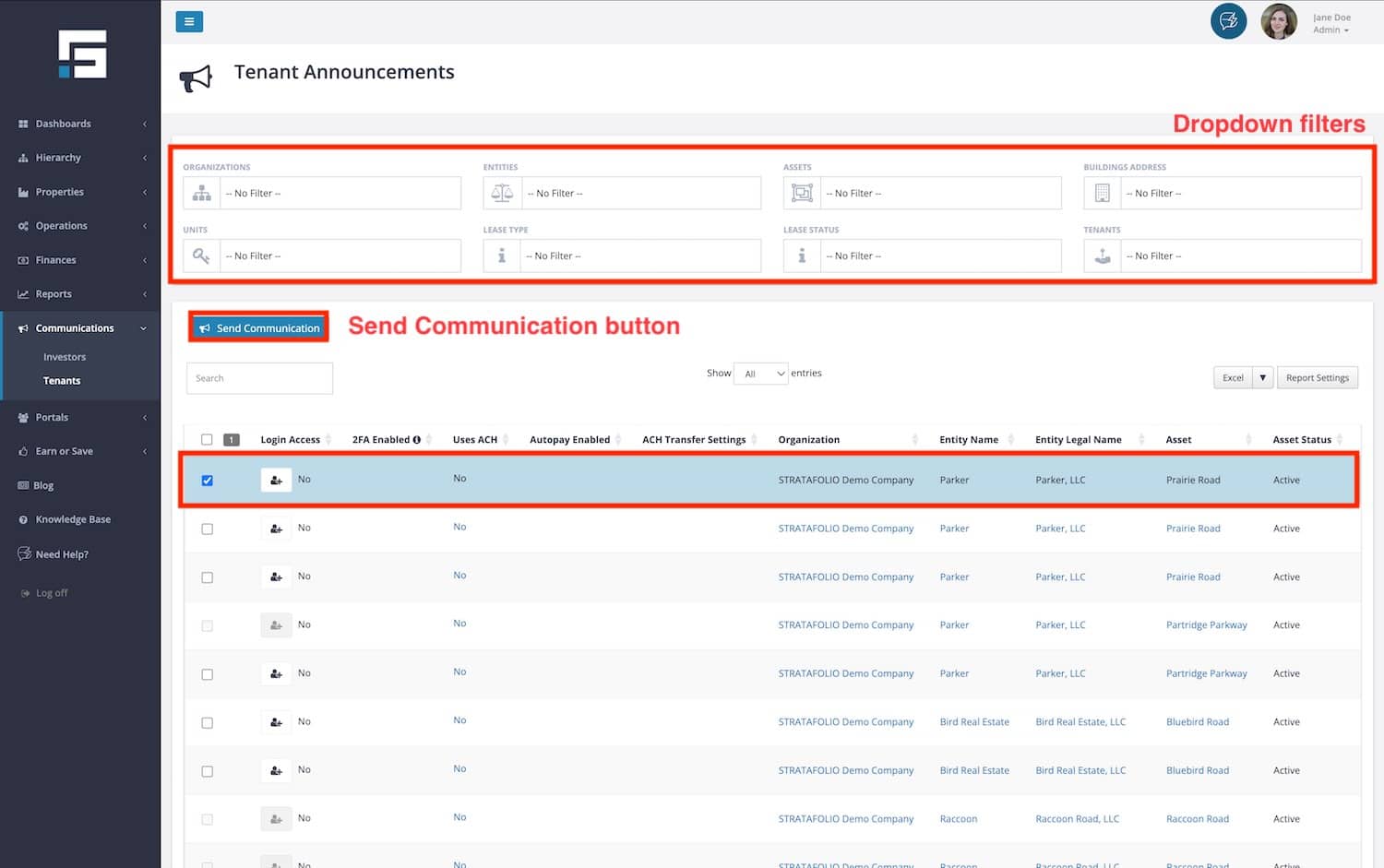
From the left-side navigation menu, navigate to Communications. Select Tenants. Use the dropdown filters at the top of the page to find the tenants you want to contact. You can filter by:
- Organization
- Entities
- Assets
- Buildings
- Units
- Lease type
- Lease Status
- Tenant
These filters ensure that the right tenants receive your communication.
Step 2: Write and Send Your Email
- Using the checkbox, select the tenants you wish to email and then choose the Send Communication button.
- Add a Subject and Message for the email.
- If you want to include attachments:
- Drag and drop the file(s) into the upload box, or select browse and choose files from your computer.
- Add a File Description, set Tenant Permissions (choose between Hide, View, Edit, and Delete), and choose the File Type.
Select Send to email the tenants.
Step 3: Understand What Happens After Sending
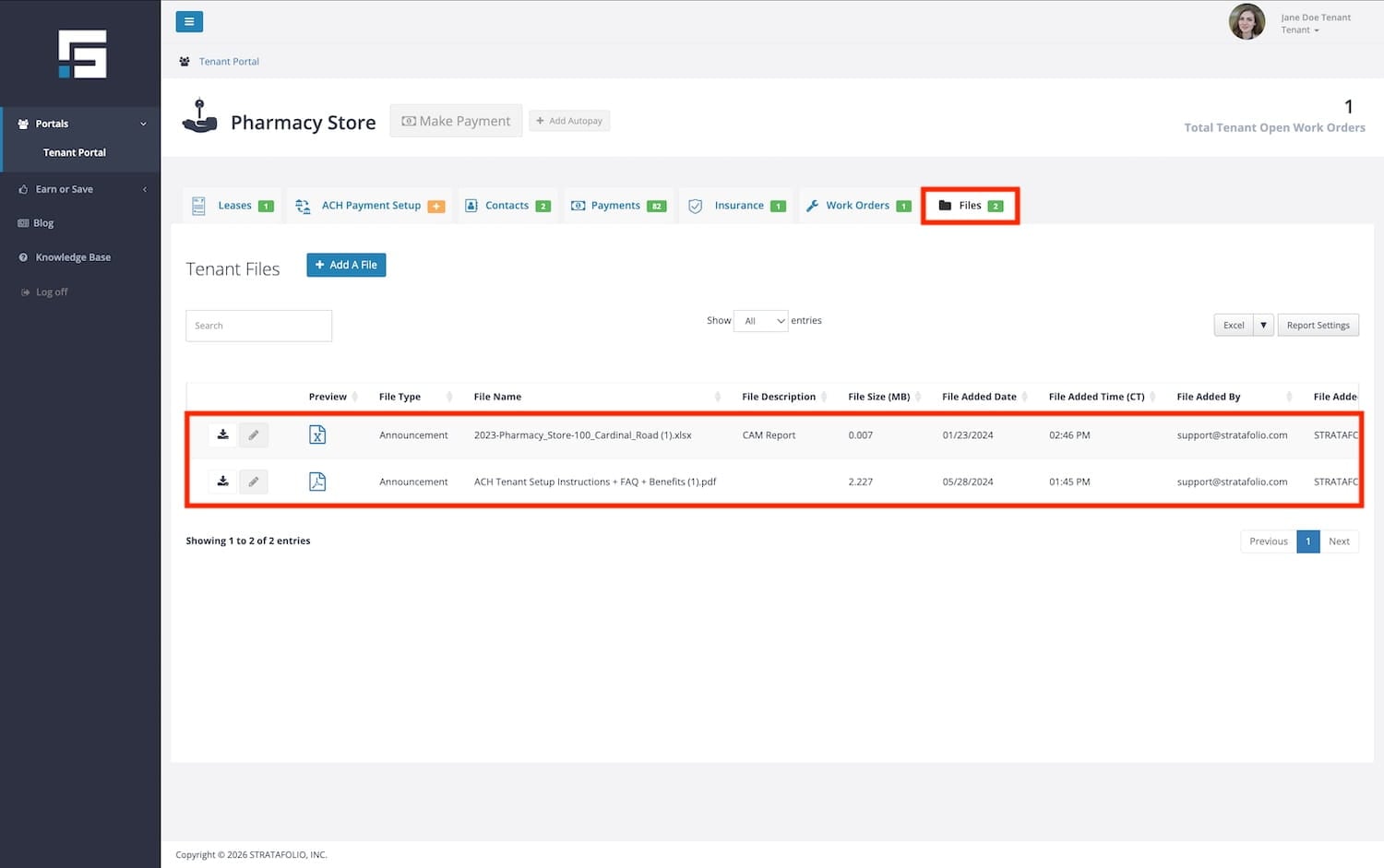
STRATAFOLIO delivers the email to the tenant’s contacts you’ve already entered into the system. There’s no need to re-enter them. These emails originate from a donotreply address, so tenants cannot respond directly. STRATAFOLIO automatically adds any attachments you send to the tenant’s Files tab in the Tenant Portal, under the file type you select (such as Announcement).
NOTE: STRATAFOLIO saves only the attachment. The system does not store the body of the email.
File and Email Restrictions
When emailing tenants, keep in mind the following limits:
- You can upload up to 10 files at a time.
- Each file must be 30 MB or smaller.
- STRATAFOLIO limits the email body (message only, excluding attachments) to 10 MB, which is approximately 6,000 pages of text.
Attachments are not sent through regular email channels but are delivered securely through the Tenant Portal.
Uploading Tenant Files as Announcements
When you email tenants with attachments, STRATAFOLIO automatically uploads those files into the Files tab in the Tenant Portal.
- Files uploaded here should use the Announcement file type.
- This ensures tenants can log in, view, and download the announcement whenever needed.
- If a tenant has portal access, they’ll receive an email notification with a link to the uploaded file.
By sending the email and storing the file, STRATAFOLIO delivers your communication immediately and preserves it in the Tenant Portal for future reference.
Why Use Tenant Announcements?
- Efficiency: Email multiple tenants across entities, assets, or units at once.
- Organization: STRATAFOLIO automatically stores attachments in the Tenant Portal, eliminating the risk of lost emails.
- Compliance: By saving files under the correct file type (such as Announcement), you create a complete record of tenant communications inside STRATAFOLIO.
