

Do you have a property that was recently appraised, or you want to update the valuation? In STRATAFOLIO, you can both add and keep track of your property and asset valuations.
Adding a Valuation
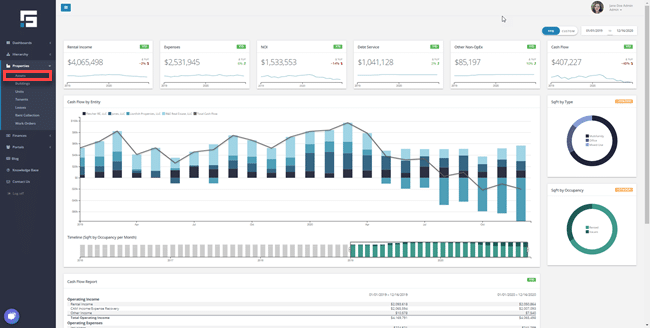
Our first step in adding a valuation is to open the Properties tab on the left-hand navigation. Once the Properties tab is open, select the Asset button. After doing that, it will take you to the All Asset page.
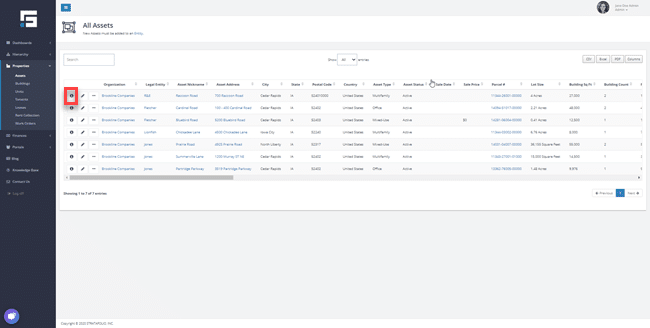
Now that you are on the All Assets page, identify the Asset that you would like to add a Valuation to and select that Asset by selecting the “i” button as shown below.
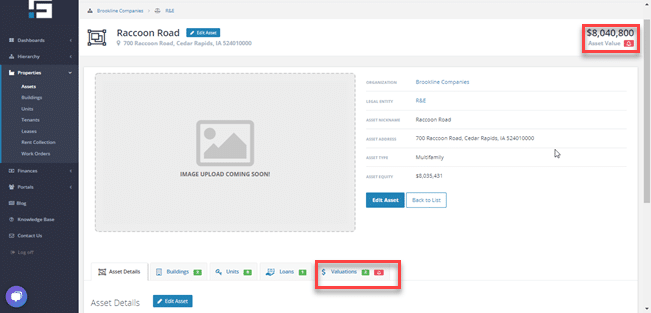
Now that you are on the individual Asset page, navigate to the Valuations tab highlighted below. This will take you to the add valuations button of the asset page.
A feature STRATAFOLIO offers is showing the Asset Value of the property. In the top right corner, you will find Asset Value. It will give you the most up-to-date Asset Value put in STRATAFOLIO.
Once in the Valuations section, you can either edit or add a new valuation. To proceed in adding a valuation select Add Valuation as highlighted below.
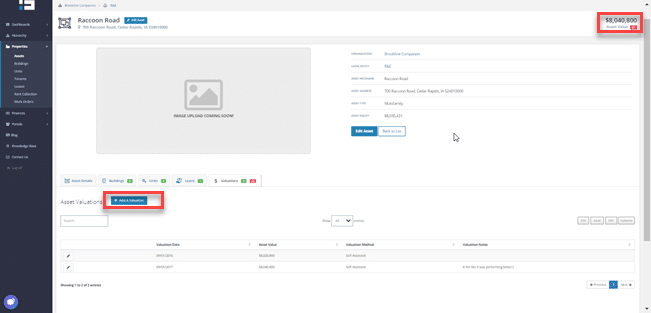
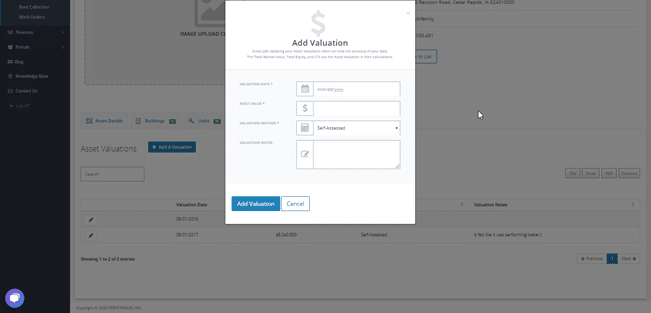
Once you have selected the Add Valuation button, the Add Valuation pop up will appear. In the pop up the following info will appear to fill:
- Valuation Date
- Asset Value
- Valuation Method (Self-Assessed, CAP Rate, Appraisal)
- Valuation Notes
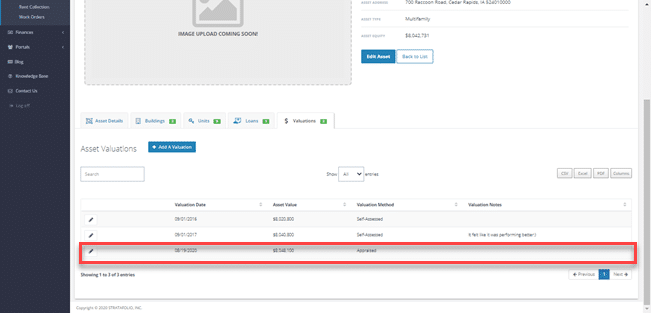
When the new Valuation is added it will appear below as shown in the highlighted picture below.
Editing Valuation
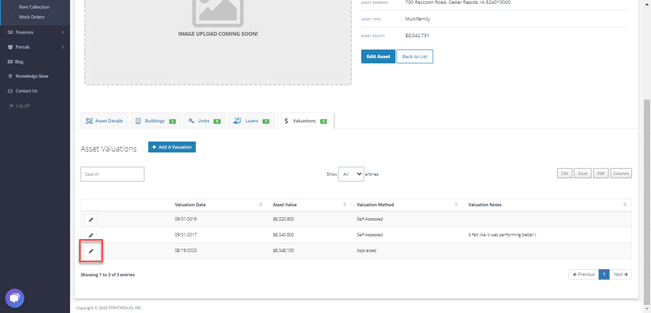
To edit a previously entered valuation, select the Pencil button highlighted below.
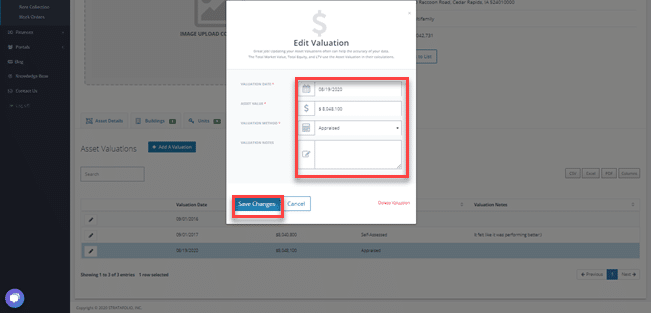
After selecting the pencil icon, the Edit Valuation popup will appear. Here you can edit previously added Valuations and save the changes when complete.
It is important to keep track of your valuations in STRATAFOLIO. Keeping track of the valuations will allow you to know the asset value of each property and see how your asset is growing in value.
