

STRATAFOLIO provides role-based access so organizations can control exactly what their investors see. Investor roles are essential for ensuring that each investor has the right level of visibility into financial data and tenant-related information while protecting organizational privacy.
Types of Investor Roles
Every investor added to STRATAFOLIO must be assigned one of two roles: Full Access Investor or Restricted Access Investor. These roles determine what appears in the investor’s dashboard when they log in, as well as how much they can see about the entity they partially own
Full Access Investor
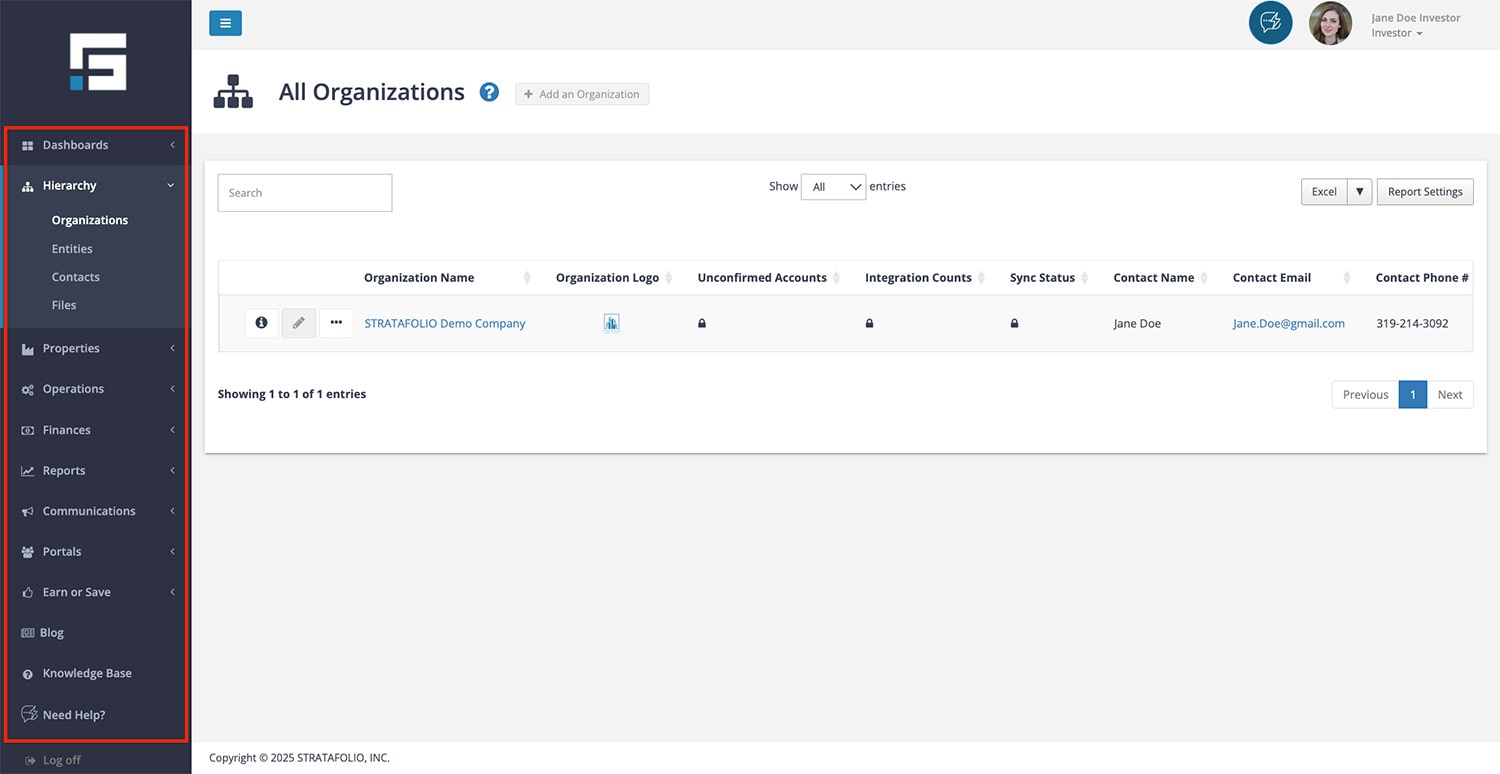
The Full Access Investor Role provides the most comprehensive view of investment information. A Full Access Investor can:
- See information about all the legal entities they are invested in.
- Review ownership percentages, equity, and debt.
- View detailed income and expense data tied to the entities.
- Track distributions over time, including annualized returns.
- Access detailed entity-level financial data to better understand performance.
- See tenant data, including lease terms, invoice and payment history.
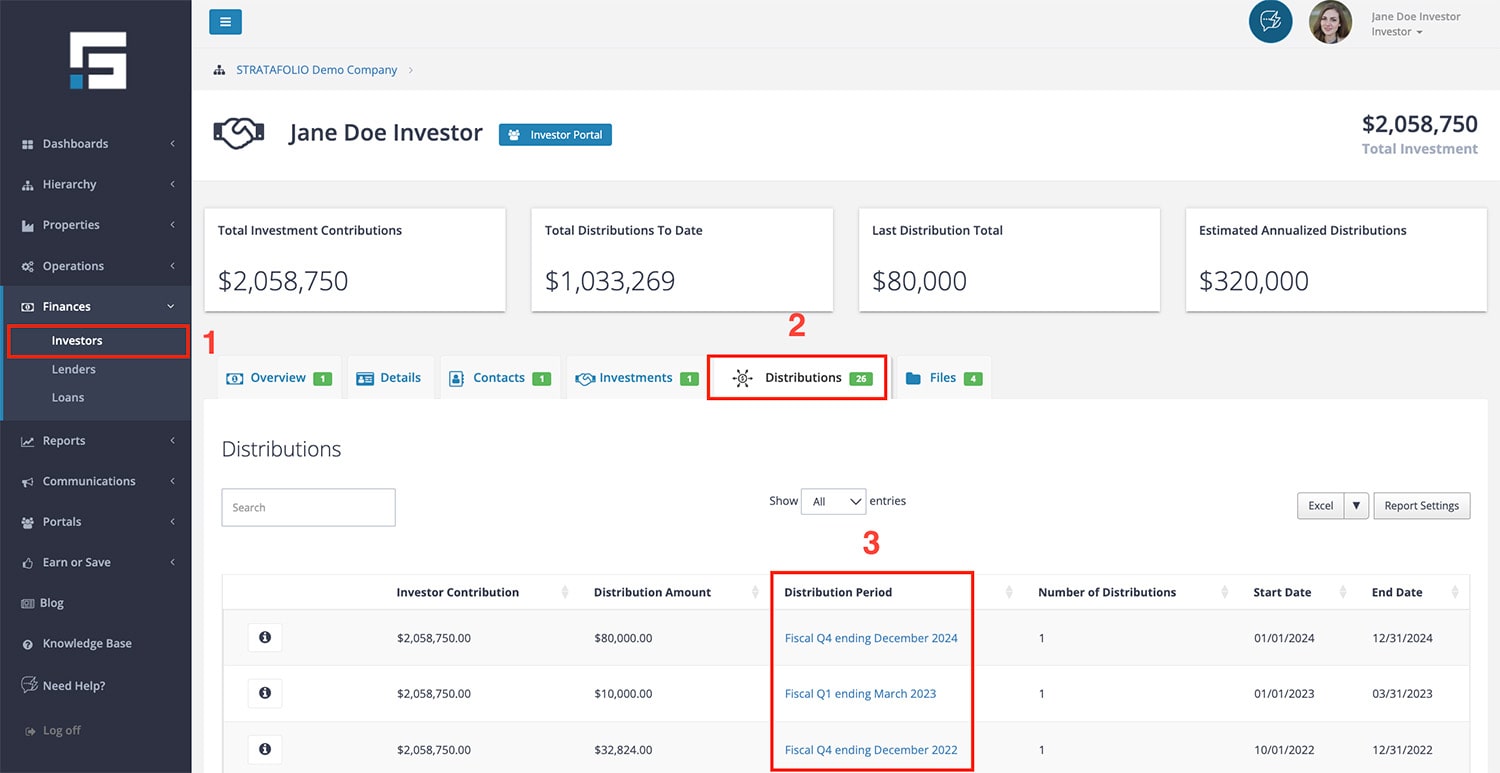
This role is especially useful for investors who are actively engaged in decision-making or require regular, detailed updates about financial and entity performance. They can see contributions, distributions calculations (total, last, and estimated annualized calculations). They can access a graphical view of their investment performance by heading to Investors under Finances on the left side, then selecting the i icon of the investor row then the Distributions tab, and finally the distribution period of the graph they wish to view.
Full Access Investors also have limited file management permissions. They can upload files into their dashboard, and they can update or delete files they uploaded themselves if those settings are enabled. They cannot modify organizational-level data or other investors’ files.
The full access investor is available at the Enterprise service level.
Restricted Access Investor
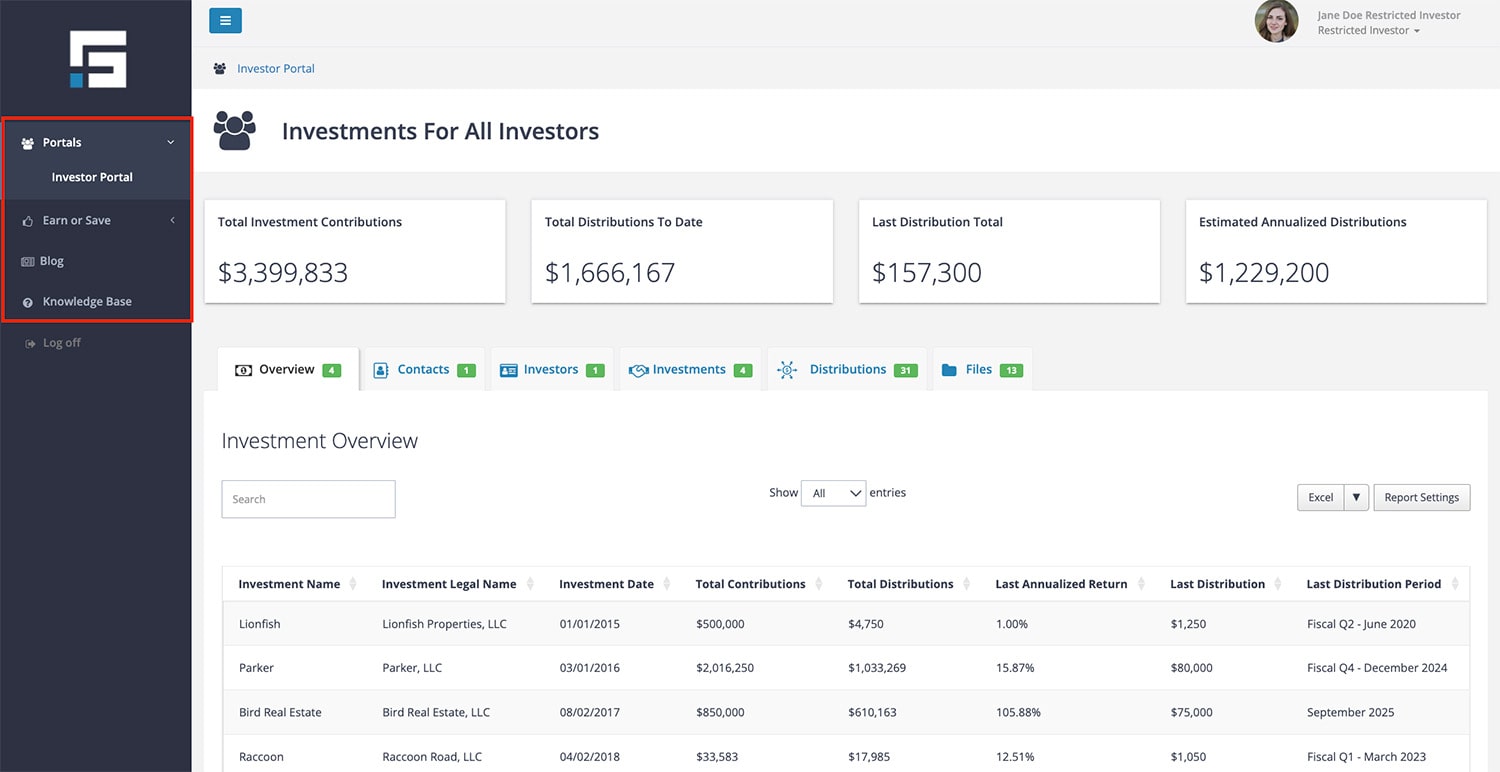
The Restricted Access Investor Role is more limited. It is designed for investors who only need a summary view of their performance. A Restricted Access Investor can:
- View total contributions to date.
- Review total distributions received.
- See estimated annualized distributions.
- Access a high-level summary of their distributions.
This role ensures privacy and security by restricting access to broader organizational data. Like Full Access Investors, Restricted Access Investors can upload files but only manage their own.
The full access investor is available at the Enterprise service level.
How Investor Roles Are Assigned
Administrators, Managers, or Property Managers assign investor roles in the Contacts view of STRATAFOLIO. The role chosen determines the investor’s permissions and what their dashboard displays. This allows organizations to customize investor access while maintaining consistency and control.
Why Investor Roles Matter
Investor roles strike a balance between transparency and confidentiality:
- Investors receive timely, accurate information relevant to them.
- Organizations safeguard sensitive financial information.
- Administrators maintain control over access levels and data security.
By clearly defining what each role can access, STRATAFOLIO ensures that investors are confident in the data they see while also protecting the organization.
| Feature | Full Access Investor | Restricted Access Investor |
|---|---|---|
| View Entities Invested In | ✅ | ❌ |
| Ownership Percentages | ✅ | ❌ |
| Equity and Debt Portions | ✅ | ❌ |
| Income & Expenses | ✅ | ❌ |
| Distributions | ✅ | ❌ |
| Upload Files | ✅ (own files only) | ✅ (own files only) |
| Delete Files Uploaded | ✅ (own files only) | ✅ (own files only) |
| Organizational Data (view only) | ✅ | ❌ |
Summary
STRATAFOLIO gives organizations flexibility by offering two investor roles. Full Access Investors see detailed financial and entity-level data, while Restricted Access Investors see only their own high-level summaries. By assigning roles carefully, you ensure the right balance of transparency and security.
How to Set Up an Investor
An important part of your business is your investors and showing them how your assets are performing. In STRATAFOLIO, you can allow as many investors as you have access to your portfolio (or just their investment in your portfolio) and they can see up-to-date information on the performance. They will only have access to the entities that they have ownership of and either full access or restricted, depending on what you decide.
Three simple steps
Setting up an investor in STRATAFOLIO can be done in three simple steps. Once the investor is added to the portfolio, they will be able to be added as an investor in the Entity(s).
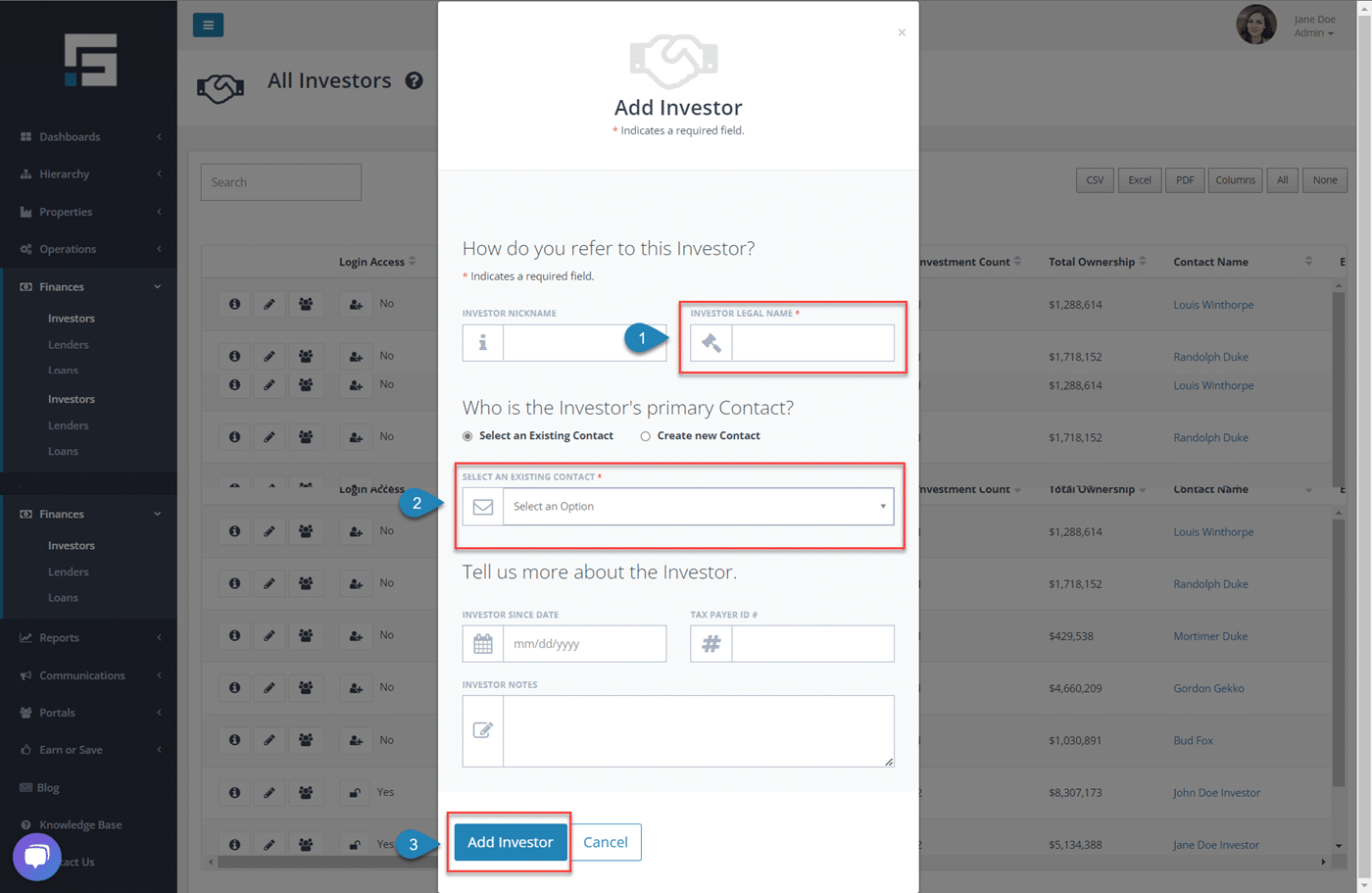
- Begin in the Finances tab on the left-hand side navigation bar, Select Investors then Add Investors.
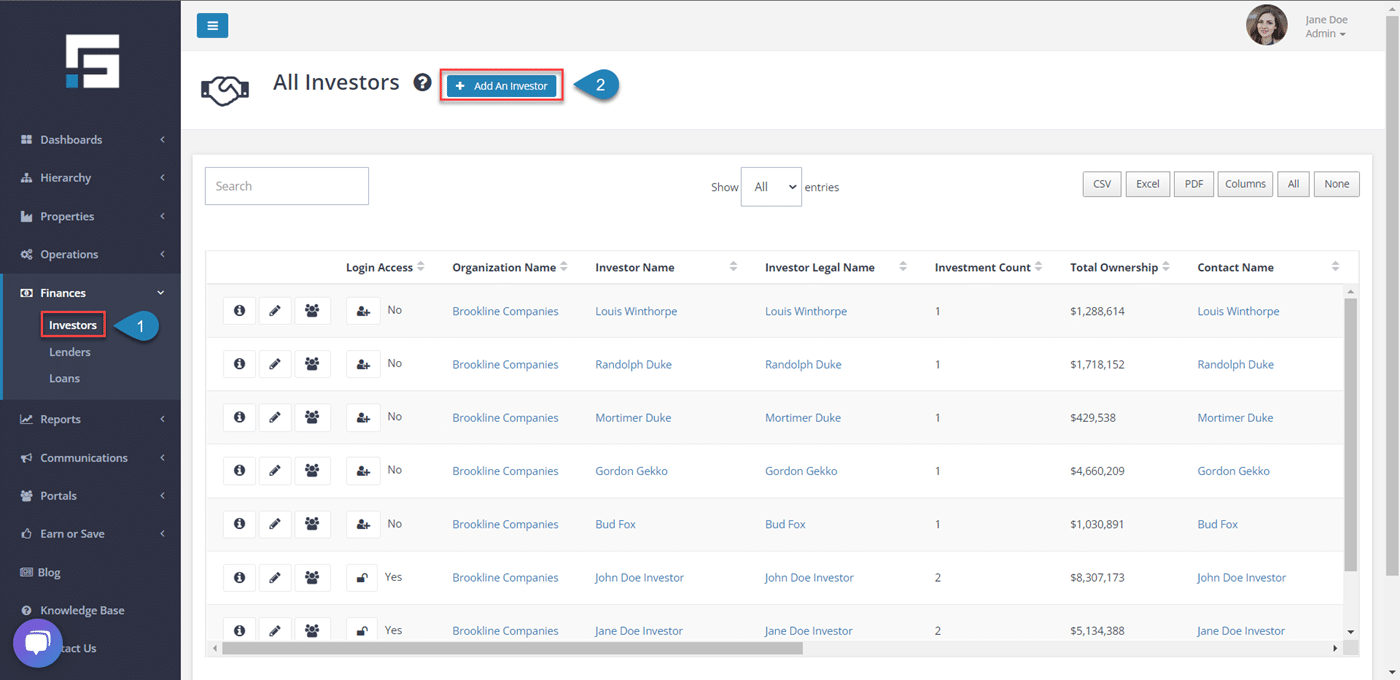
Once this form opens, you will be able to add the Investor’s information and then select Add Investor. Information that you can add:
- Investor Nickname
- Investor Legal Name (Required).
- Contact (Required).
- Investor Since Date
- Tax Payer ID #
- Investor Notes
How to Invite an Investor
STRATAFOLIO allows you to give access to your investors to see how their investment is doing. There are two different levels that you can invite them to depending on the access that you would like them to have. The investors are only able to access Entities that they are investors in and not the entire portfolio.
Inviting an Investor:
To invite an investor to STRATAFOLIO, follow the steps below:
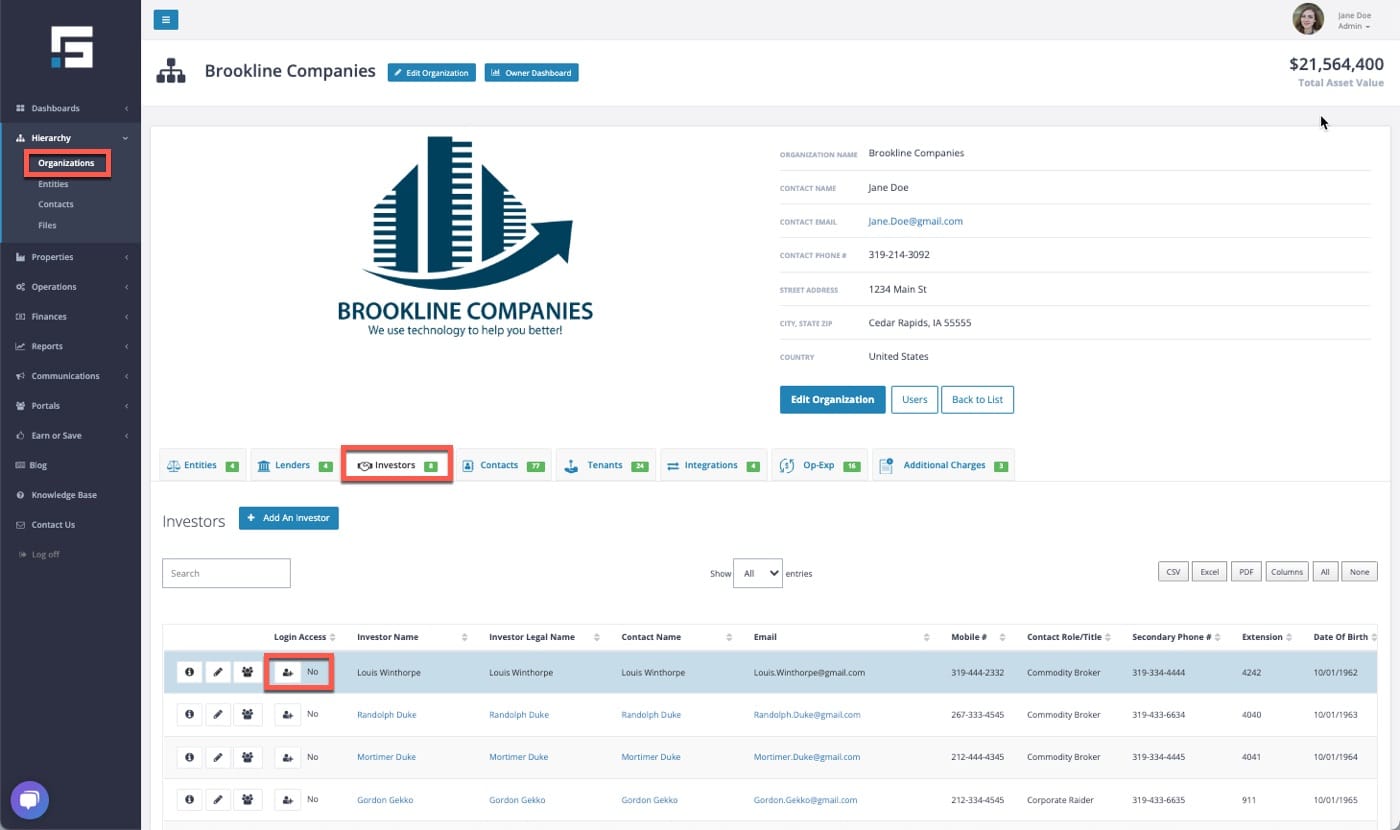
- Head to the navigation bar on the left-hand side and navigate to Hierarchy, Organizations and select the organization the investor is under.
- Select the Investors tab. Navigate to the investor you wish to invite and then select the Box containing the Single-Person within the investor’s row.
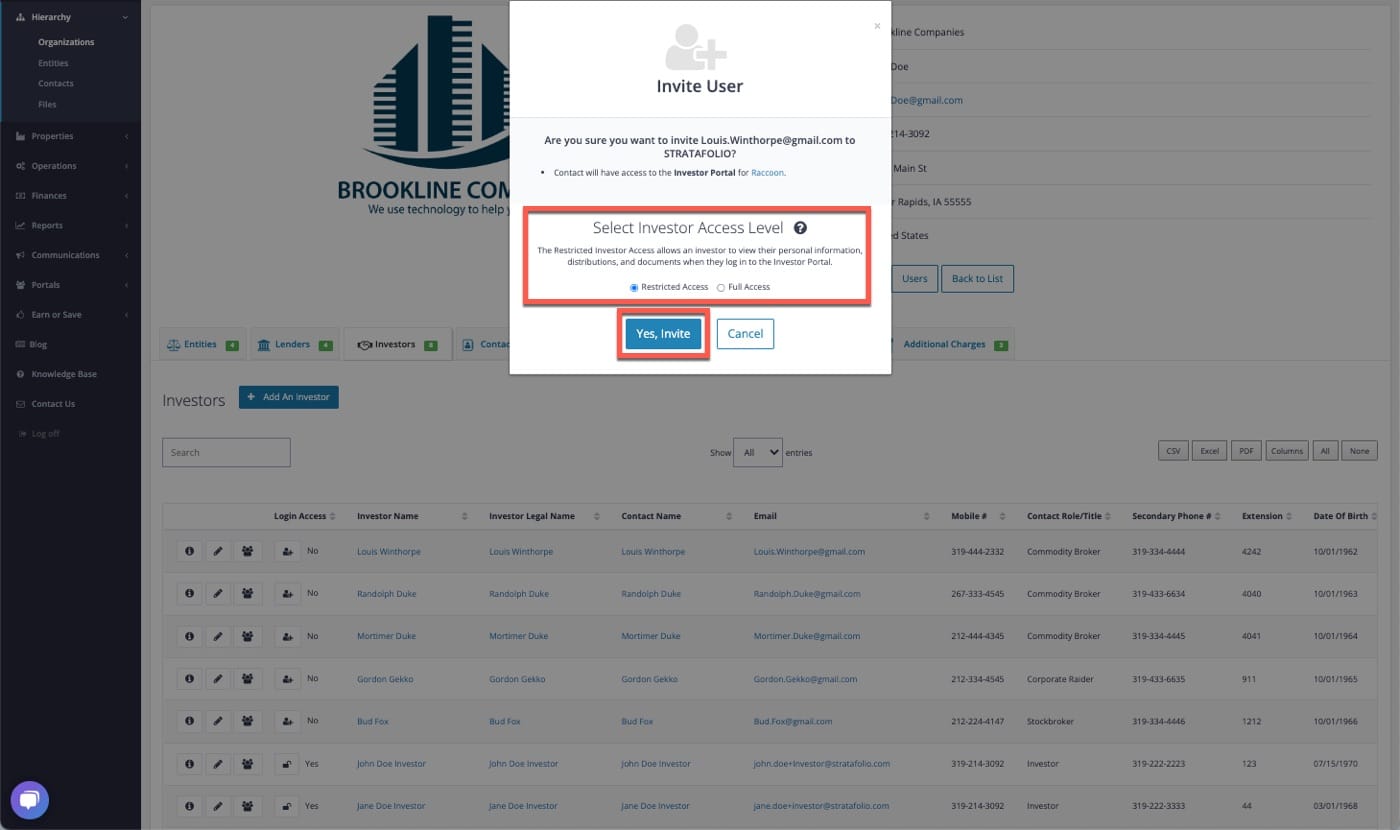
- Select the Access Level that you would like to invite the investor to have. Select Yes, Invite. This will email the investor an invitation to access STRATAFOLIO.
- Please contact STRATAFOLIO Support if you need more information about the differences between Restricted and Full Access levels.
Once the webpage reloads you will notice a Pending message next to the investor’s name. This message will automatically update once the investor has accepted your invitation in STRATAFOLIO.
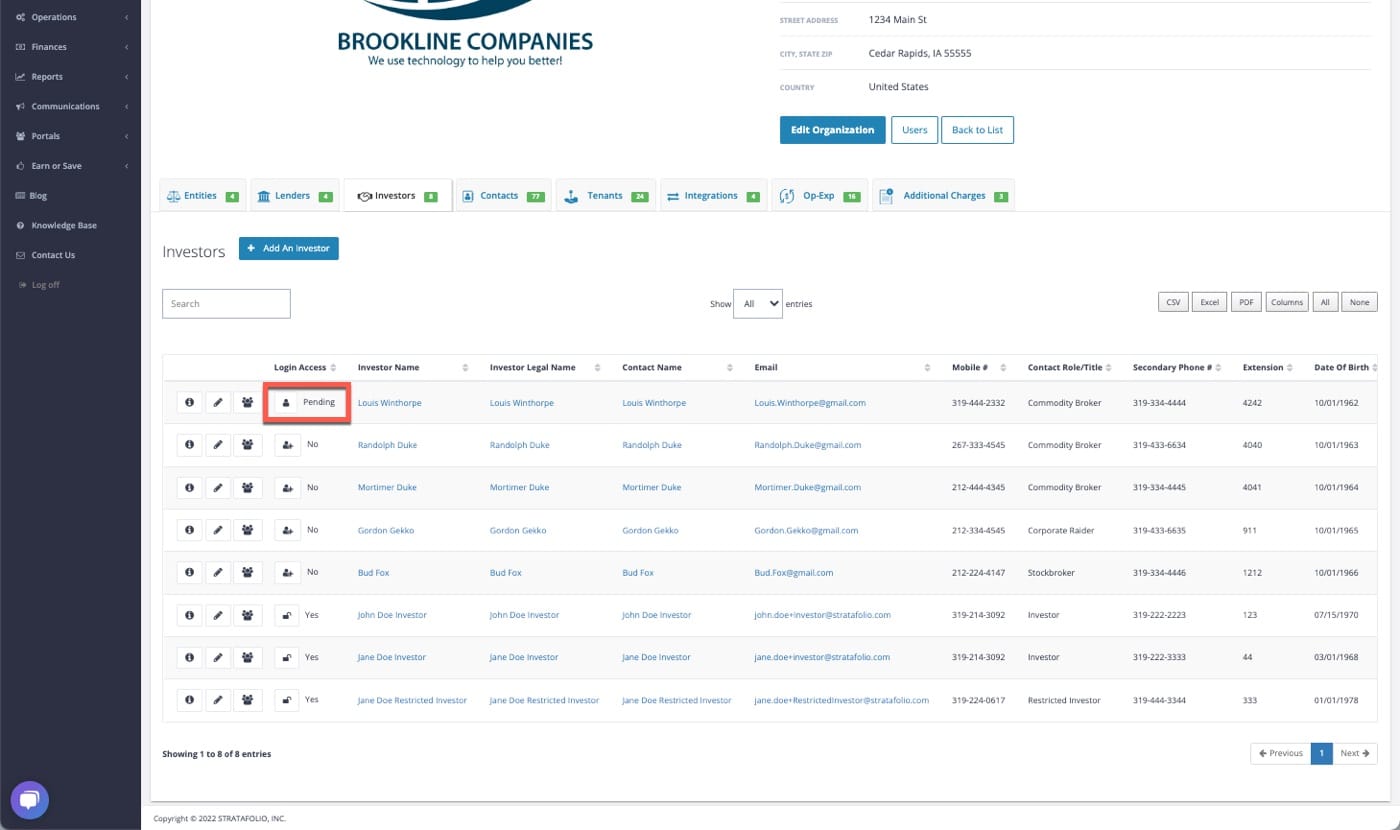
*Note: The invitation’s link will expire after 24 hours. If the investor has not created an account before then, a new invitation will need to be sent.
