

Having a good handle on your leases is a big part of running a successful real estate business. STRATAFOLIO helps you gain full control of your leases by providing Lease related alerts to your Administrator, Manager, Property Manager, and Reader access roles. For more information about access roles, read How to Give Access to a User in STRATAFOLIO.
Type of Lease Alerts Available
Note: in order to be able to receive any alerts, you need to have your global alert settings turned on within your My Profile view. You can learn how to turn those alert settings on How to Change Your Alert Settings In STRATAFOLIO.
We have 3 types of lease alerts you can opt-in or opt-out to receive.
- Alerts for Expiring Leases
- Expiring Lease Rates – Confirmed
- Expiring Lease Rates – Unconfirmed
The other alerts are visual, and we’ll go into more detail about how they work.
Global Settings
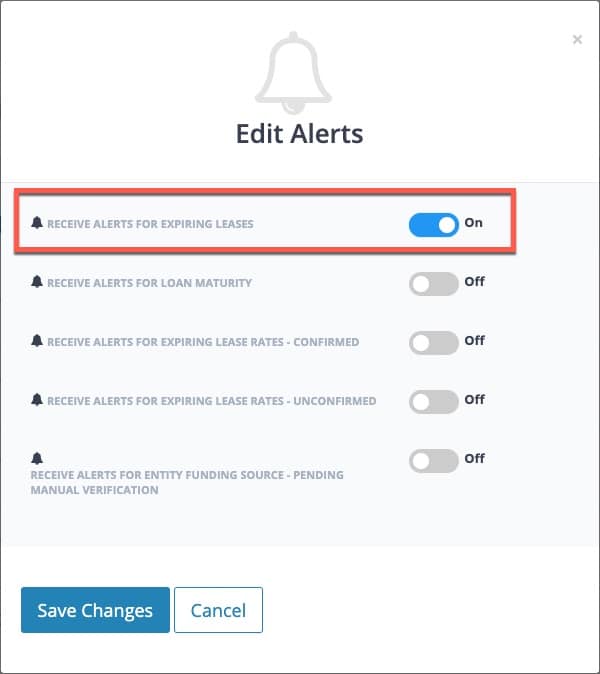
You can configure the expiring lease alert, but to receive it, you must first set Receive Alerts for Expiring Leases to On in your Organization’s global settings within the My Profile view and Alerts Settings tab. You can learn how to turn those alert settings on How to Change Your Alert Settings In STRATAFOLIO.
Lease Expiration Alert
After you set the global alert setting for expiring leases to On, you must also configure each individual lease correctly to receive these alerts.
You can update the setting when you create a new lease, or from an existing lease by clicking on the lease edit button.
Once you are in the lease edit or create form, you’ll need to:
- Scroll down in the lease form to the Lease Expiration Alerts section.
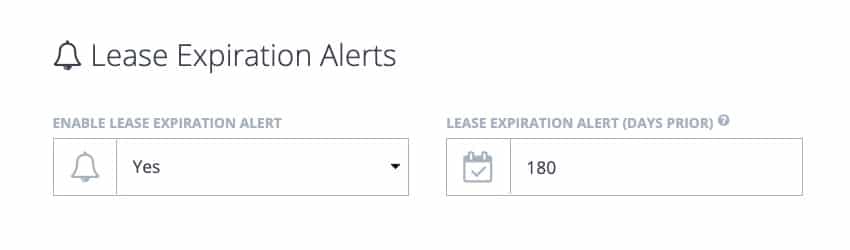
- Set the Enable Lease Expiration Alert property to Yes.
- Set the number of days when you want to receive the email alert in the Lease Expiration Alert (Days Prior) property. This will trigger an email alert letting you know the lease will be expiring within those number of days.
Safeguards
When you create a new lease, STRATAFOLIO automatically sets Enable Lease Expiration Alert to Yes and leaves Lease Expiration Alert (Days Prior) blank, allowing you to enter the number of days in advance you want STRATAFOLIO to send the alert for that lease.
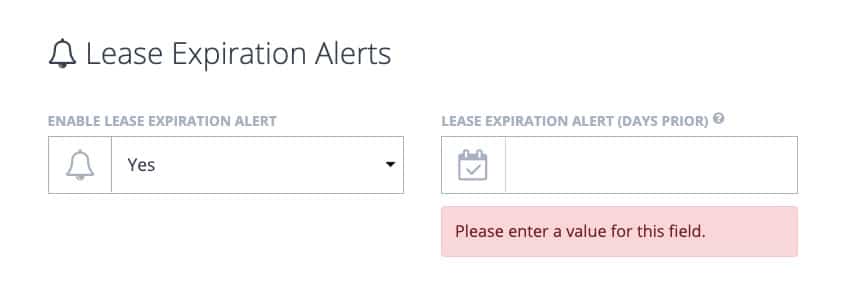
If you forget to enter a value in the Lease Expiration Alert (Days Prior) when you try to add or update your lease, we will remind you to enter a value in that property.
If for any reason you do not wish to receive an email alert prior to your lease expiring, you can set the Enable Lease Expiration Alert to No, and the Lease Expiration Alert (Days Prior) will be cleared from any existing data contained in that property.
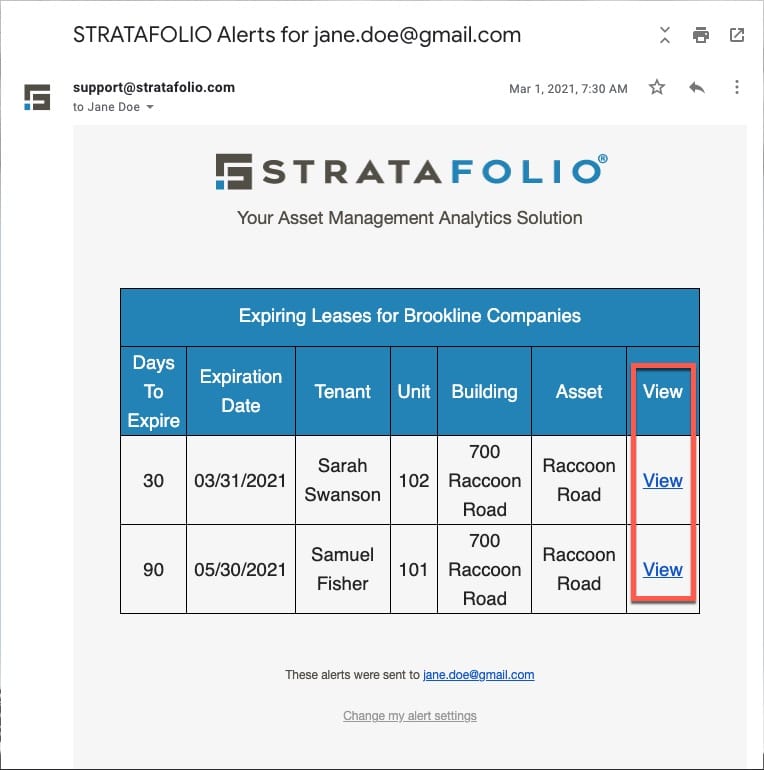
Once any of your Lease Expiration Alert (Days Prior) timeframes trigger, you will receive an email alert from STRATAFOLIO support on that day. This email contains all alerts that triggered that day. You will also be able to quickly view any of those leases or other alerts in STRATAFOLIO by clicking the View link of each item.
Expiring Leases Alert Visual Cues
Lastly, when you set the Days For Renewal Alert, you can quickly identify expiring leases as you use STRATAFOLIO.
STRATAFOLIO displays color-coded alerts in multiple locations to make them easy to interpret.
